
Application & Claims
Download the Parents Gateway app to stay connected with your child's school. You can also access leave forms and student insurance claims here.
Parent's Gateway Mobile Application
Parents Gateway is one of our school's official communication platforms.
Please download the application in your mobile device by following the step-by-step guide below.
1. Open the Apple App Store or Google Play Store app on your mobile phone.
2. Search for the 'Parents Gateway' mobile app, or scan the QR code below.
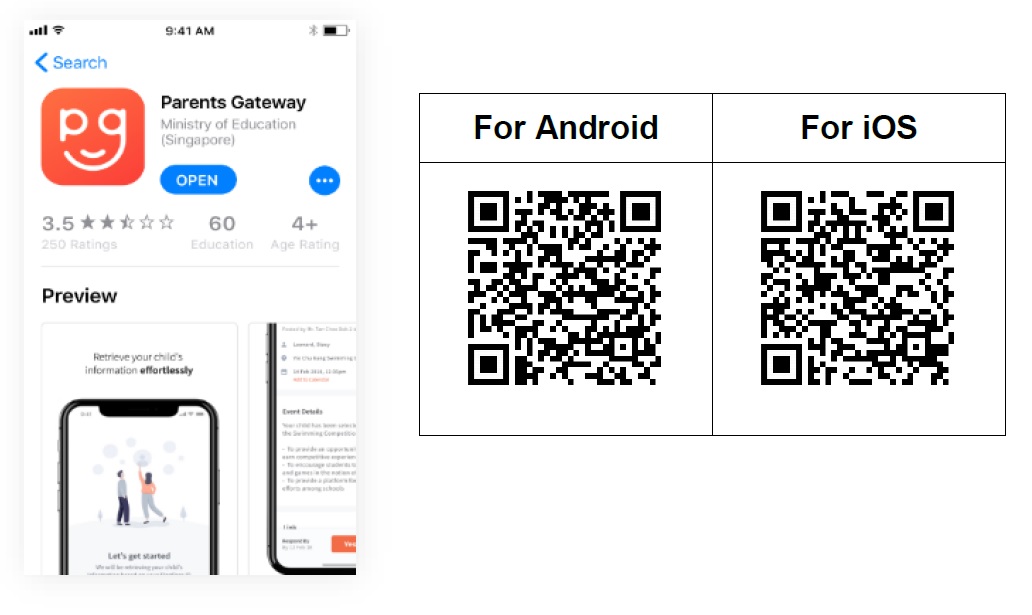
3. Download and install the app on your phone.
4. Enable 'Allow Notifications' to receive push notifications.
5. Log in the app with your SingPass. (If you have not yet registered for a SingPass or have not yet set up the 2FA, please visit the SingPass website (https://www.singpass.gov.sg (opens in new tab)) to do so.
Note: Supported OS versions – Android 5.0 or later & iOS 8.0 or later
You may also visit the website https://pg.moe.edu.sg/ (opens in new tab) or click on the video link (opens in new tab) to learn more about Parents Gateway.
Leave of Absence Form
To downlod the form, please click on the link below.
Leave of Absence (opens in new tab)
Group Personal Accident Insurance for Students
NTUC Income Insurance Co-Operative Ltd.
E-Submission Portal (opens in new tab)
Product Fact Sheet (opens in new tab)